Seven Demo Moments
Before You Start
- Open my-choice-v02.vercel.app in Chrome
- Click "See How It Works" on the landing page
- Select Jane (parent) — you'll land on Judy's Overview
- Confirm week toggle shows Mar 11 (Week 1)
At-a-Glance Overview
First thing you see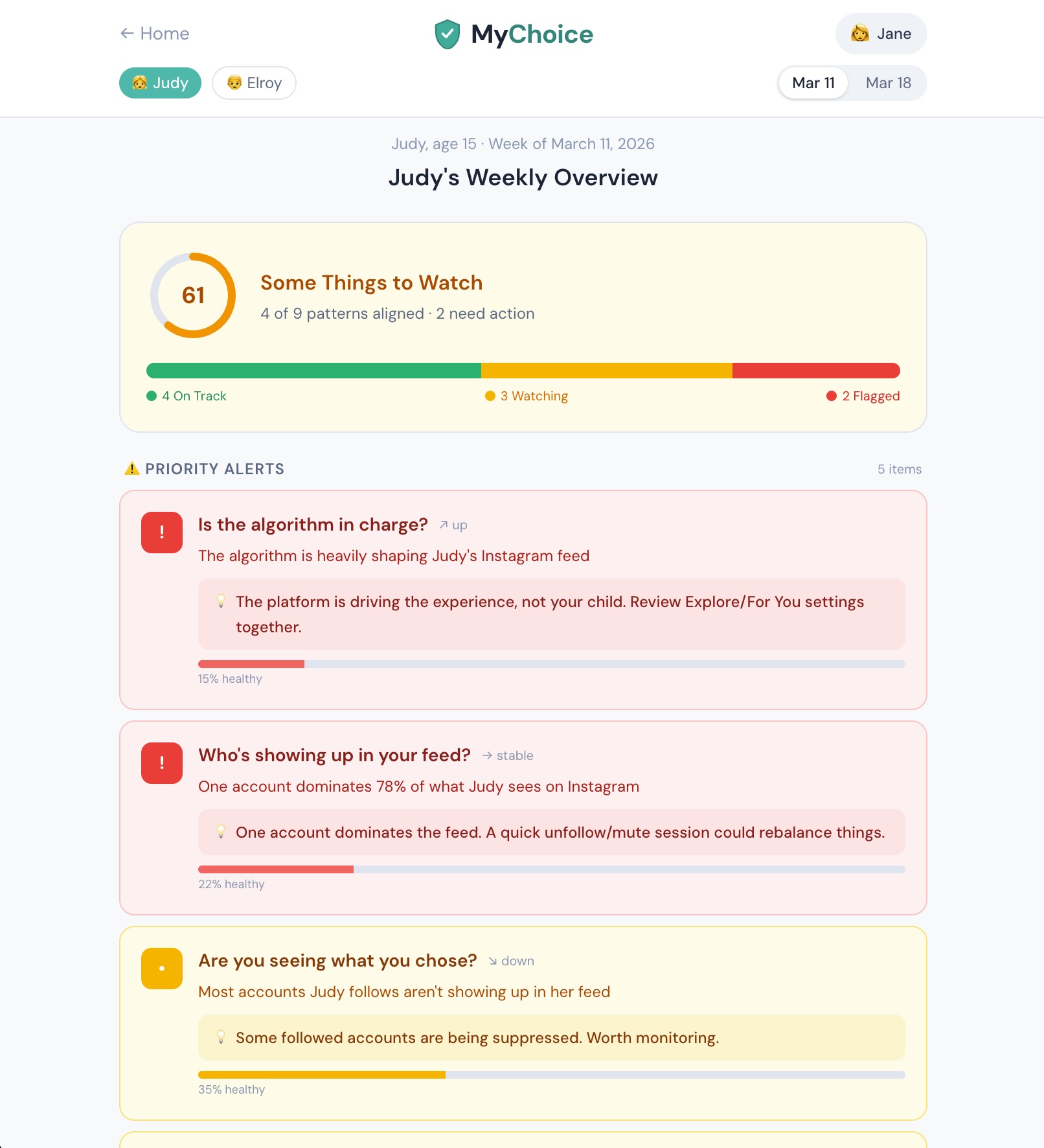
Parent Script
"When you open MyChoice, this is what you see. Not a list of websites your kid visited. Not a log of their messages. You see a wellness overview.
This score of 61 means some things are on track, but there are items that need attention. The traffic-light bar shows 4 patterns aligned, 3 worth watching, and 2 flagged. And each alert comes with quick, actionable advice — not just data, but what to do about it."
Advisor Script
"Let me show you the gap we're filling. This dashboard aggregates behavioral signals across Instagram, TikTok, and YouTube. No single platform shows this picture. The health score and traffic-light bar give you the full status in two seconds."
Investor Script
"This is the Jetsons family — a sample household, so what you are seeing is the designed experience on prepared data. The signal definitions behind it are derived from real Instagram, TikTok and YouTube export structures, and the score aggregates them into one picture no single platform will show you. Live ingestion runs in the iPhone build today, where the uploaded export is destroyed once the patterns are derived, with a receipt."
Patterns, Not Content
Signal cards & cross-platform view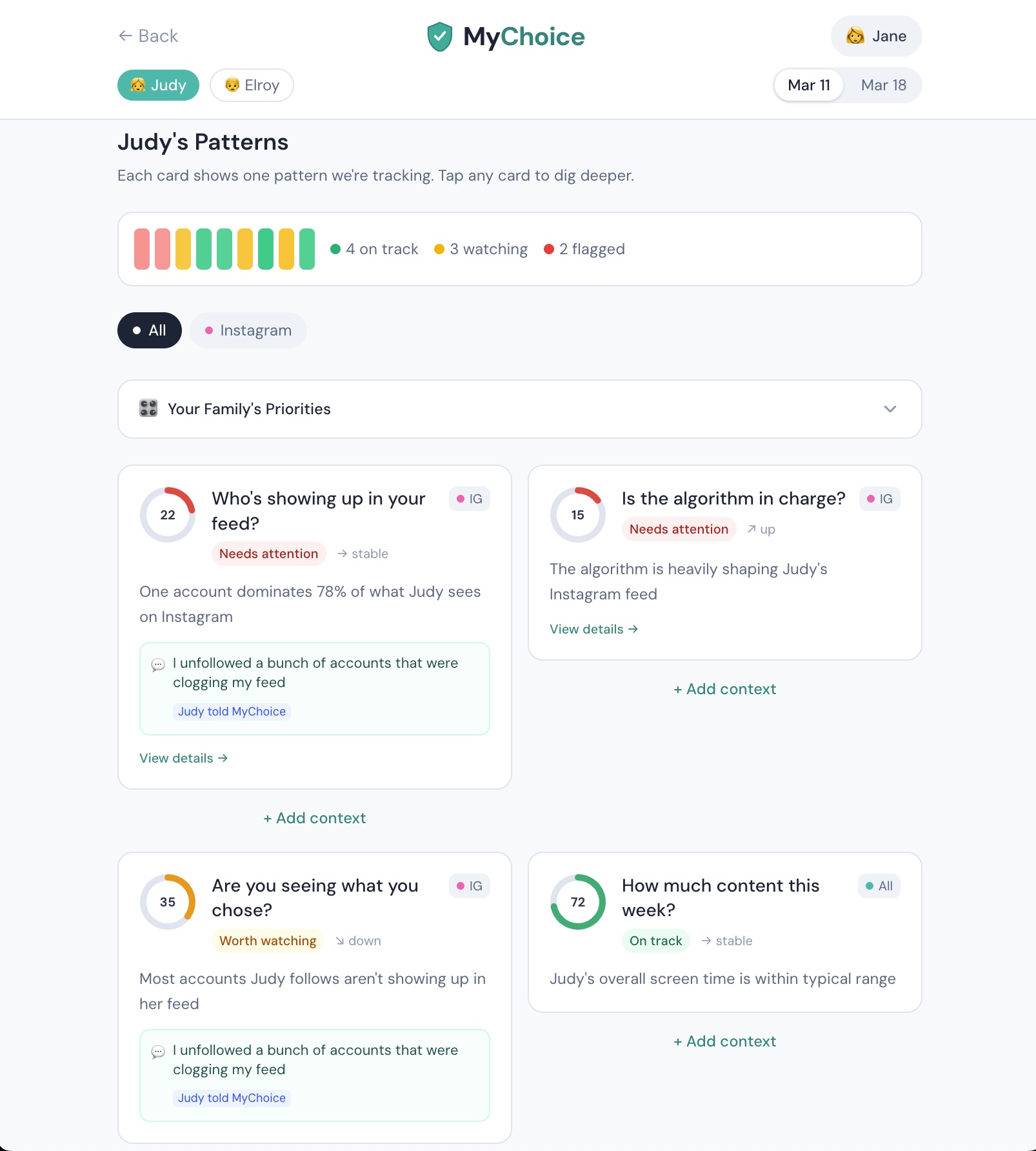
Parent Script
"These cards are behavioral signals — patterns we see across Instagram, TikTok, and YouTube combined. No single app shows you this picture.
See this one — 'Who's showing up in your feed?' That's our plain-language way of saying one account is dominating 78% of her feed. The platform is deciding what Judy sees, not Judy."
Advisor Script
"Here's the thesis in one interaction. This signal shows algorithmic amplification. Without context, that's just a number. The visual gauges make severity immediately clear — red gauges need attention, green ones are on track."
Context Transforms Data
The "aha" — data + personal context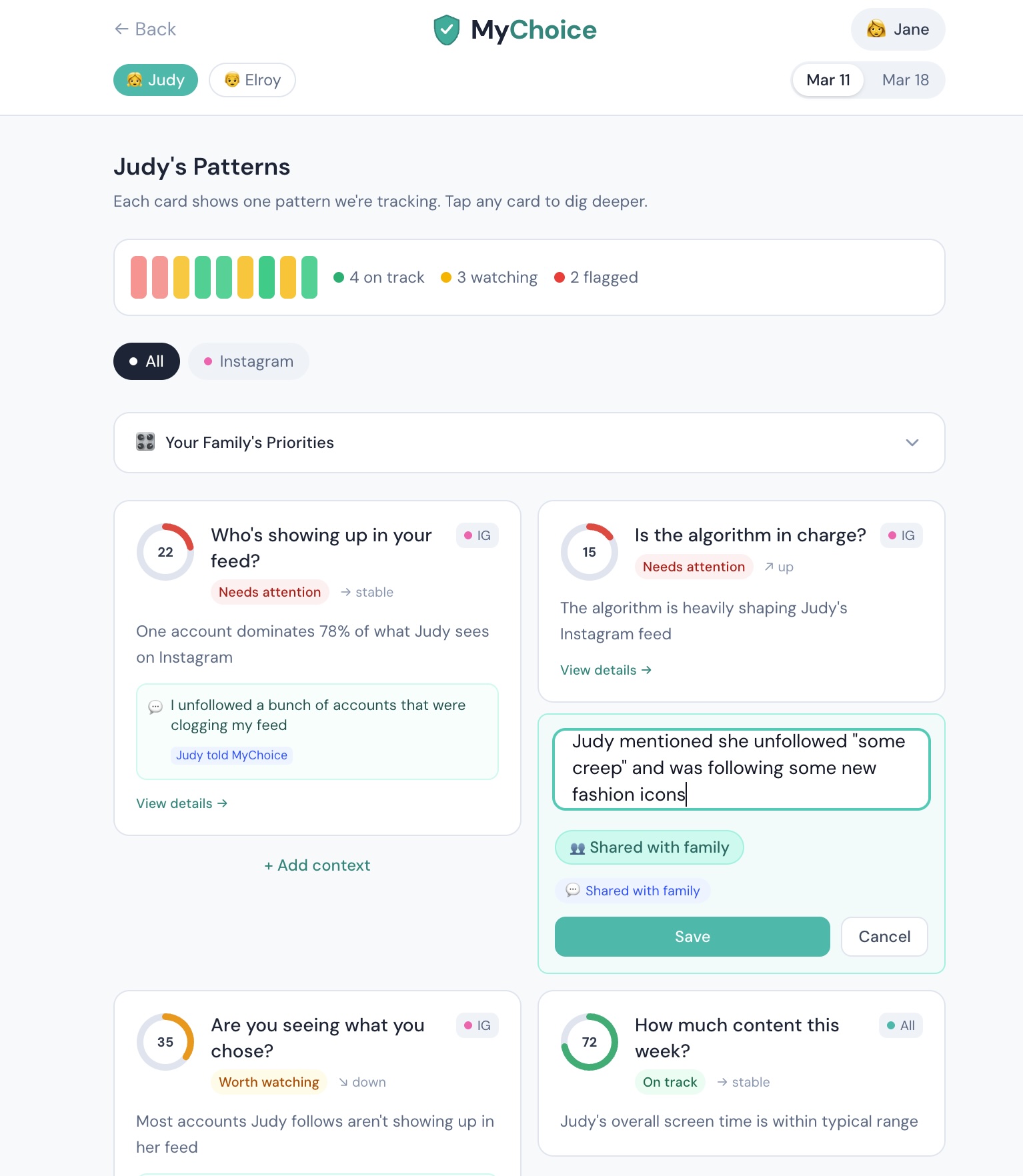
Parent Script
"Notice these teal boxes on the signal cards. Judy told MyChoice she unfollowed accounts clogging her feed. Jane shared that Judy mentioned unfollowing 'some creep.' This context changes everything — instead of 'we need to talk about your phone,' it becomes 'I heard you're already fixing your feed — how's it going?'"
Advisor Script
"Our moat is the context layer. Platforms have engagement data. We have the meaning behind the data. That context — goals she shared, notes her parent added — is ours. The platform doesn't have it. No other product collects it. And it compounds."
Investor Script
"Every note a family adds, every agreement they make, every check-in they complete makes the context richer. Network effects within the family unit. This is what makes the product defensible."
Adding Context Live
The real-time demo moment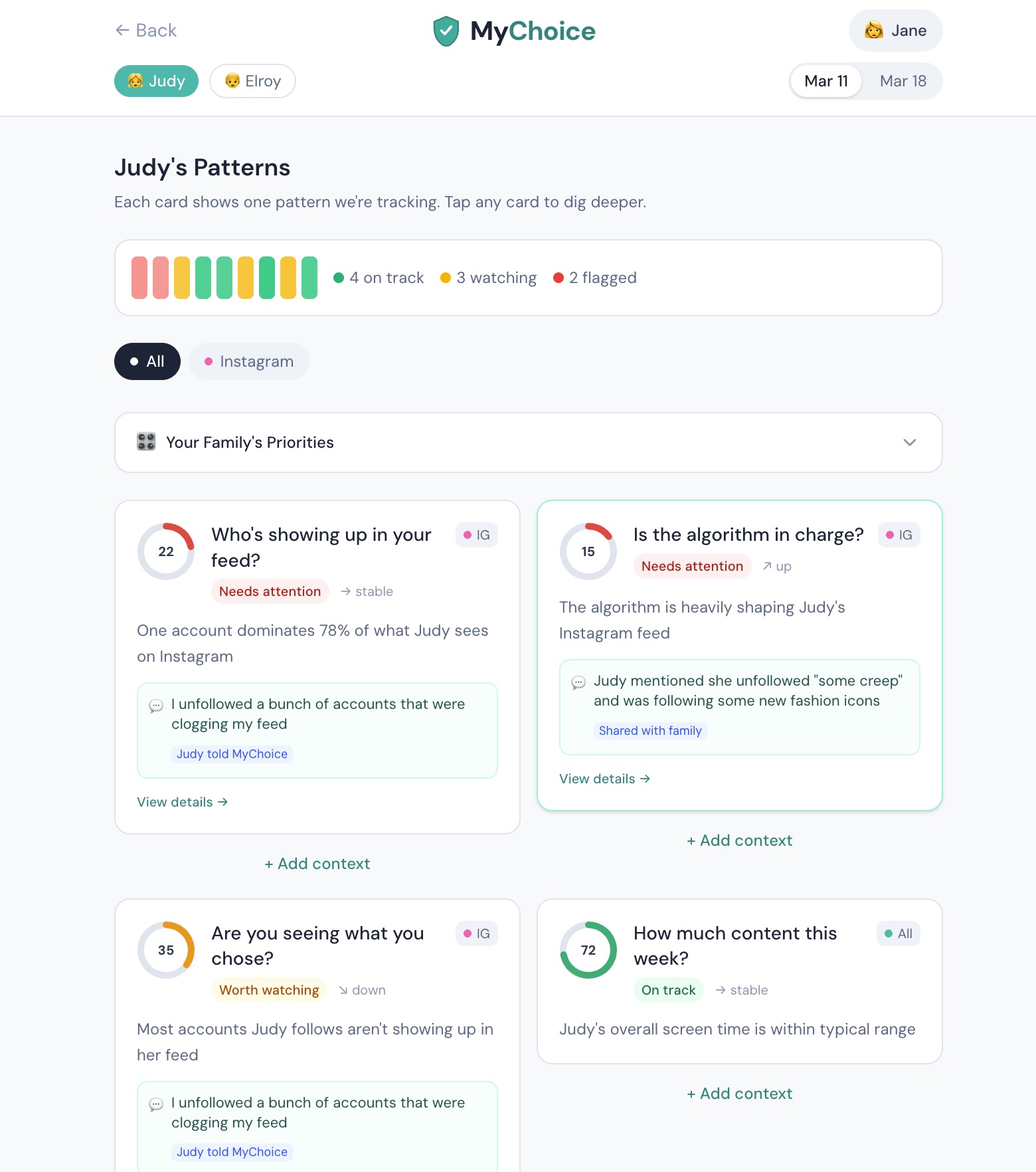
Parent Script
"Now watch this. I can add context right from here. I'll type what Judy mentioned at dinner — she unfollowed some accounts and started following fashion icons she actually likes."
"I just shared context with MyChoice. Go back to the Check-In — see? The coaching response updated because of what I told it. That's the difference between generic data and real understanding."
Advisor Script
"User adds context, coaching updates in real time. Before and after. That's the demo moment. The private/shared toggle means each family member controls what they share — Judy's private notes stay private."
Promises, Not Rules
Agreements & co-creation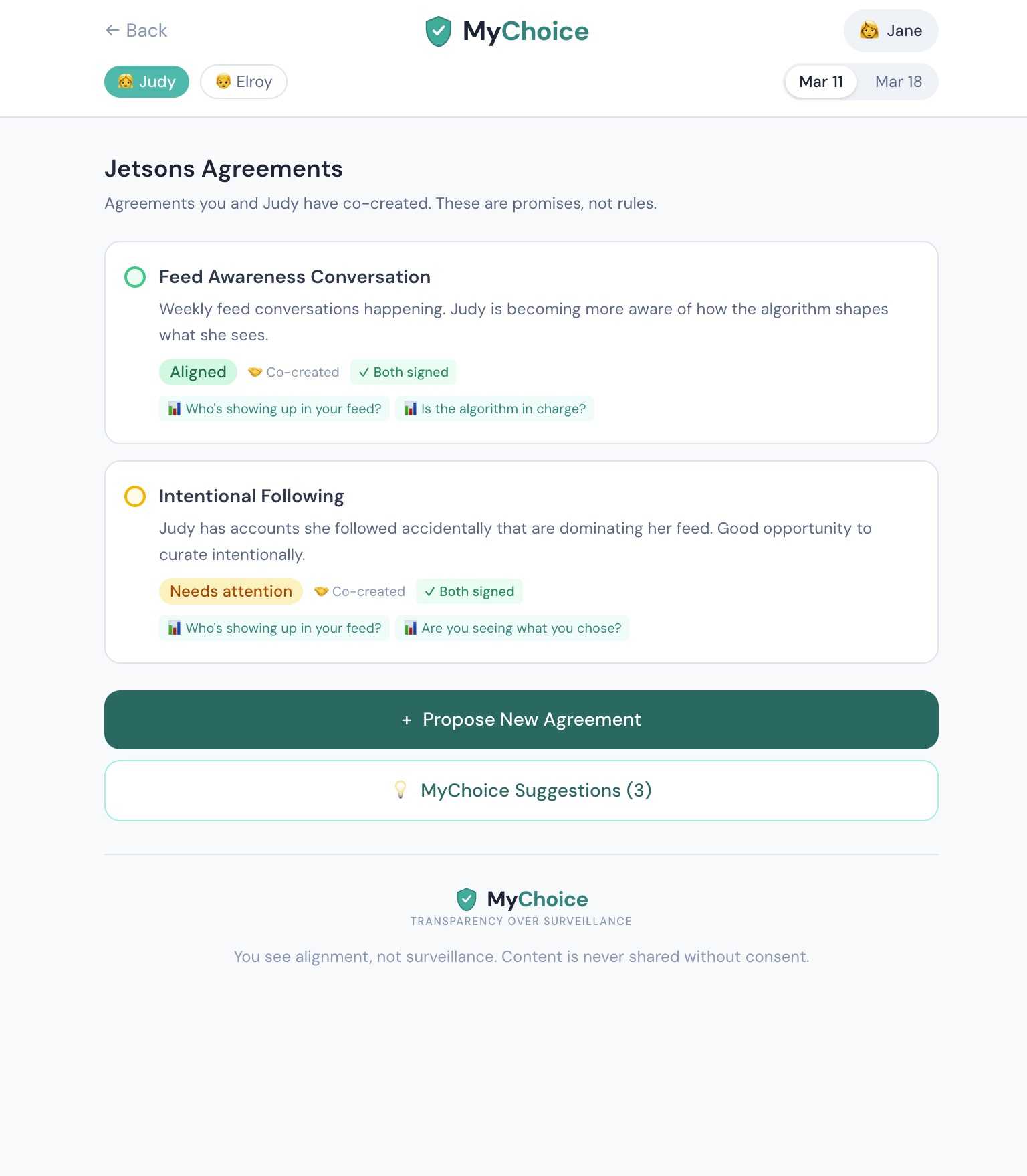
Parent Script
"This is where understanding turns into action. These aren't rules I imposed on Judy. They're agreements we made together. See the badges — 'Co-created,' 'Both signed.' Judy had a say in every one.
MyChoice even suggests agreements based on the data — 'Monthly Feed Audit' because the algorithm is shaping Judy's content more than her own choices."
Investor Script
"See, Talk, Agree. That's the full product arc. Families see patterns across platforms. They talk about them with context-enriched coaching. Then they co-create agreements — linked to specific signals, proposed by either party, signed by both. Data-driven, not fear-driven."
The Role Switch
Same data, different language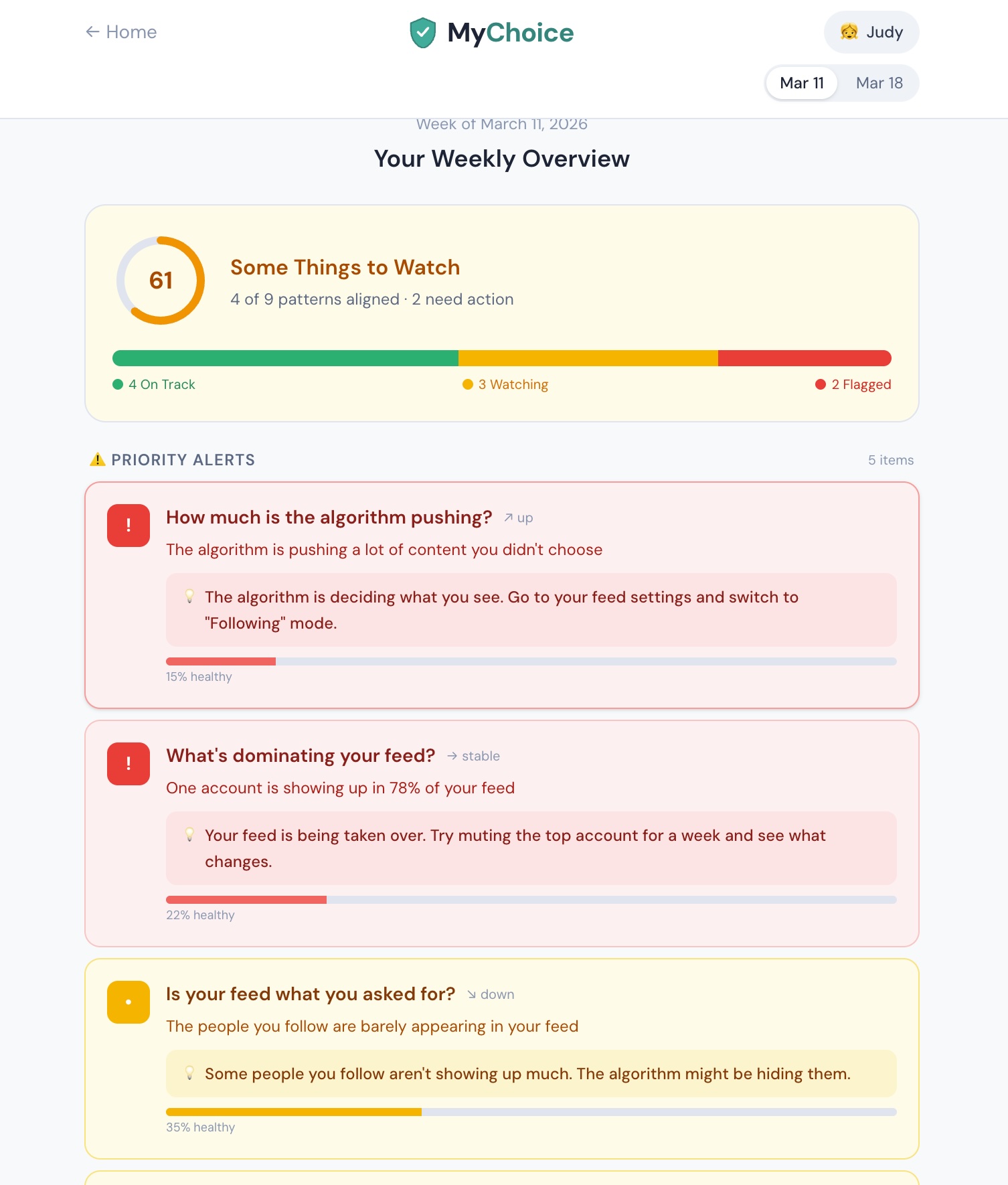
Parent Script
"This is what Judy sees. Same data, different language. Instead of 'Your child's feed diversity,' she sees 'What's dominating your feed?' It's direct, not condescending. And when she adds a private note — only she sees it. We never read her private thoughts.
"That's MyChoice. Not surveillance. Understanding."
Investor Script
"Two views of the same data. Jane sees coaching-level patterns; Judy sees her own data in her own language. Private notes stay private. Graduated sharing levels and age-tier behaviour are specified in the signal catalogue and not yet built — what is real today is the derive-and-destroy boundary in the iPhone build: the patterns are kept, the raw export is not."
The Transformation
Week 1 → Week 3 — the payoff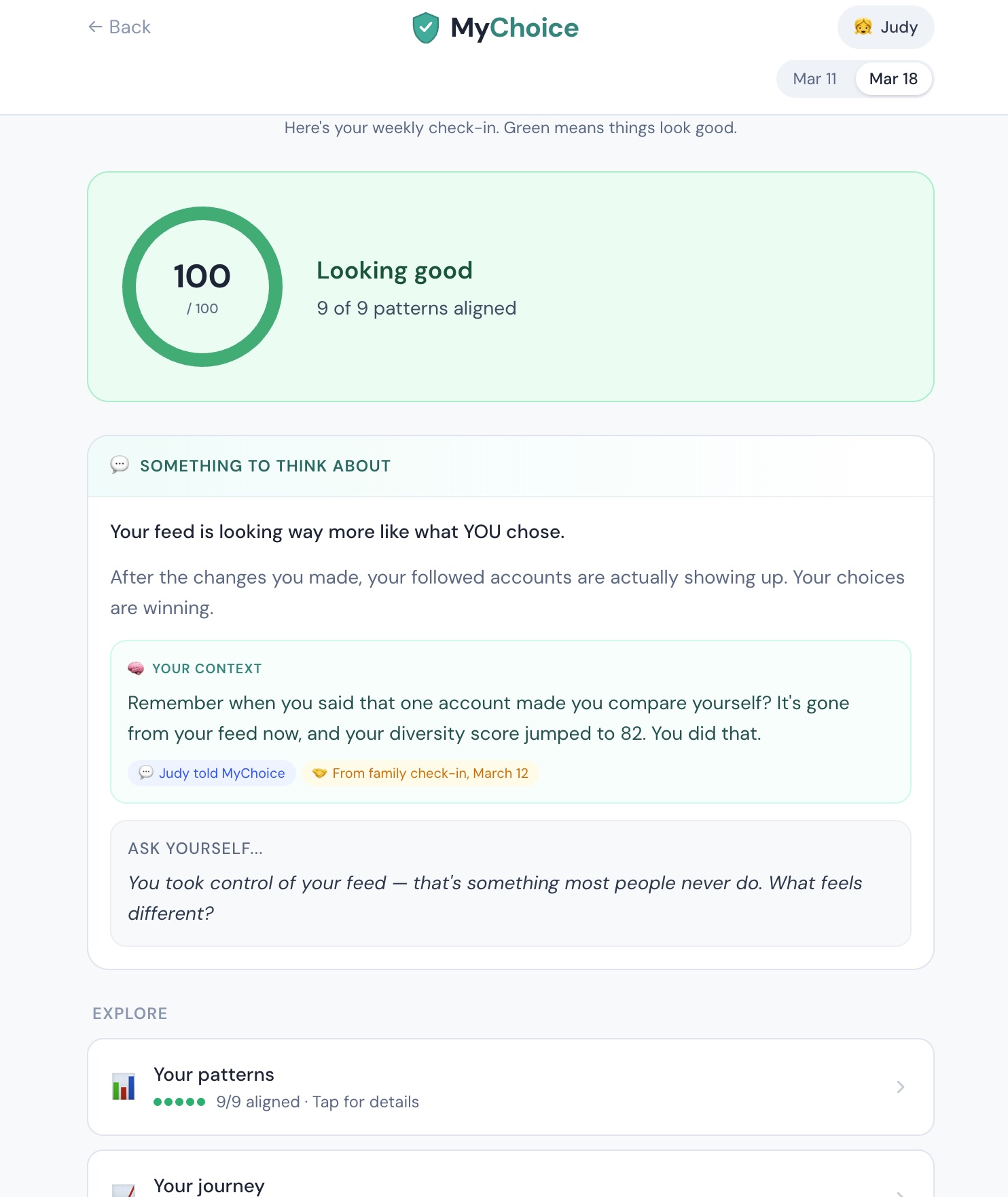
Parent Script
"Two weeks later. Score went from 61 to 100. After the conversations they had — powered by MyChoice's coaching — Judy unfollowed the accounts dominating her feed. Her diversity score jumped from 22 to 82. The coaching celebrates what she did: 'You took control of your feed — that's something most people never do.'"
Advisor Script
"Two weeks of data. Week 1: dominated by one account. Week 3: balanced, all aligned. The coaching changes. The conversation starters change. The whole narrative evolves. That's what makes this defensible."
Investor Script
"The patent thesis: a system that enables voluntary, graduated, privacy-preserving transparency between family members with context-enriched AI coaching. That's not a feature of an existing product. It's a new category.
"The liability wave is coming. MyChoice is the infrastructure that prevents the harm in the first place — not by locking things down, but by making sure every interaction has the context it needs."